
Sales & POS
Sales Transactions
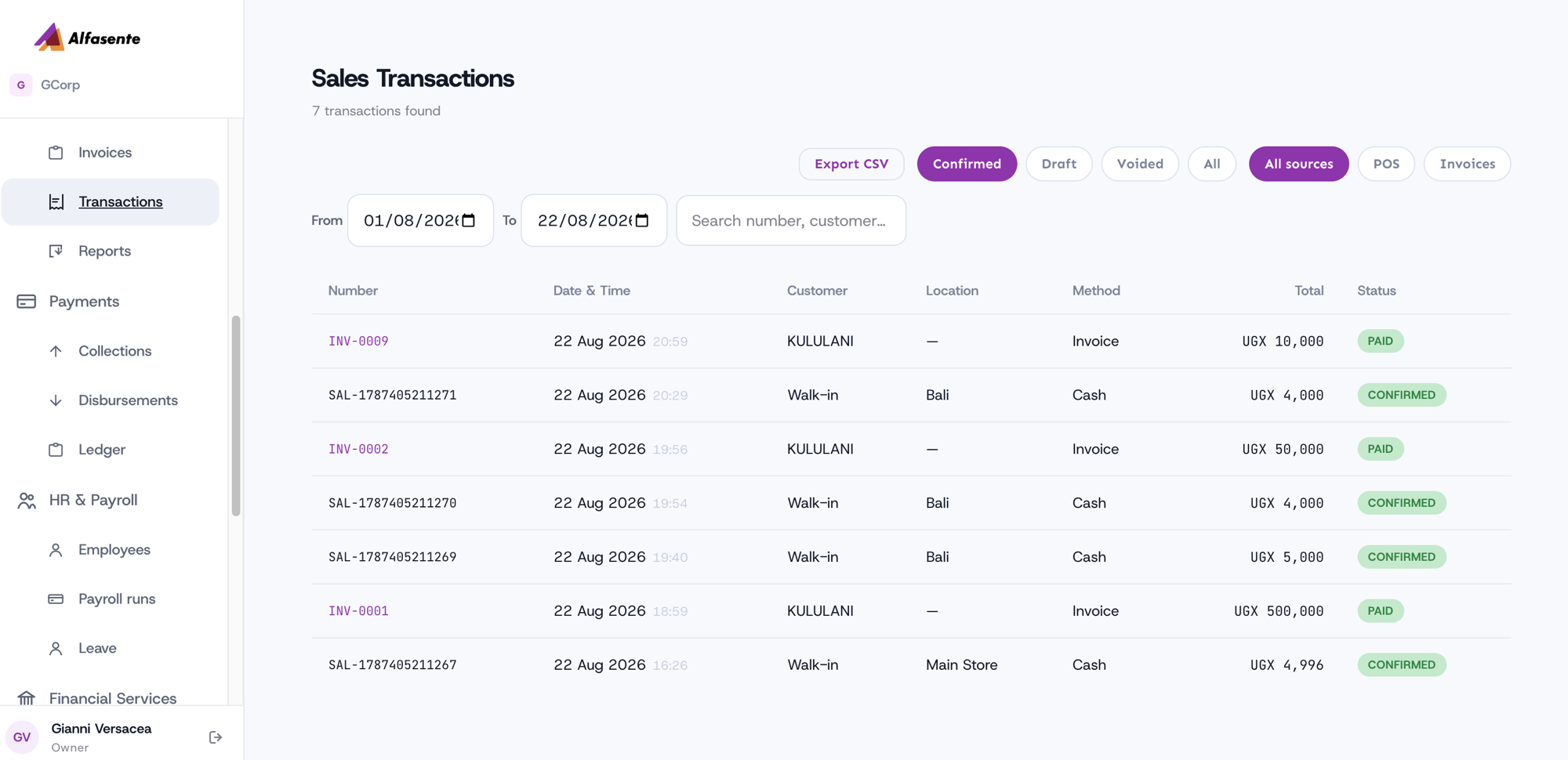
Everything you have sold, in one place. Go to Sales → Transactions.
What counts as a sale here
Two things, side by side:
- Counter sales rung up at the POS.
- Invoices the customer has paid.
An approved but unpaid invoice is not here — it is money owed, not money taken, and it lives under Invoices until it is settled. Listing it here would make the day's takings read as cash that has not arrived.
A paid invoice is dated by when it was paid, not when it was raised. An invoice issued in June and settled in August is an August sale.
Finding a sale
| Sources | All sources, POS, or Invoices |
| Status | Confirmed, Draft, Voided, or All |
| Dates | From and To |
| Search | By number, customer name or phone |
Export CSV gives you exactly what is on screen — the filters apply to the export too.
Looking at one
Click a POS sale to expand its line items, with the subtotal, VAT and total underneath.
Click an invoice number to open the invoice itself. Its lines live with the invoice rather than the sale, so it links out instead of expanding.
Related
- Sales Reports — the same sales, totalled by day or month
- Point of Sale
- Invoices
Last updated 2026-08-22