
Sales & POS
Products and Services
Everything you sell lives under your products list. Alfasente ERP handles two kinds of items: goods you keep in stock, and services that have no stock. This page shows you how to add each one and when to choose which.
Goods vs. services
The difference is simple:
- A product (stocked) has stock. You receive it into inventory, and selling it reduces your stock.
- A service (no stock) has no stock. You can't receive it into inventory. It's the right choice for things like swimming lessons, tours, or consulting.
Adding an item
To add a new item:
- Go to Inventory → Products.
- Click + Add Product.
- Choose "A product (stocked)" or "A service (no stock)".
Adding a stocked product
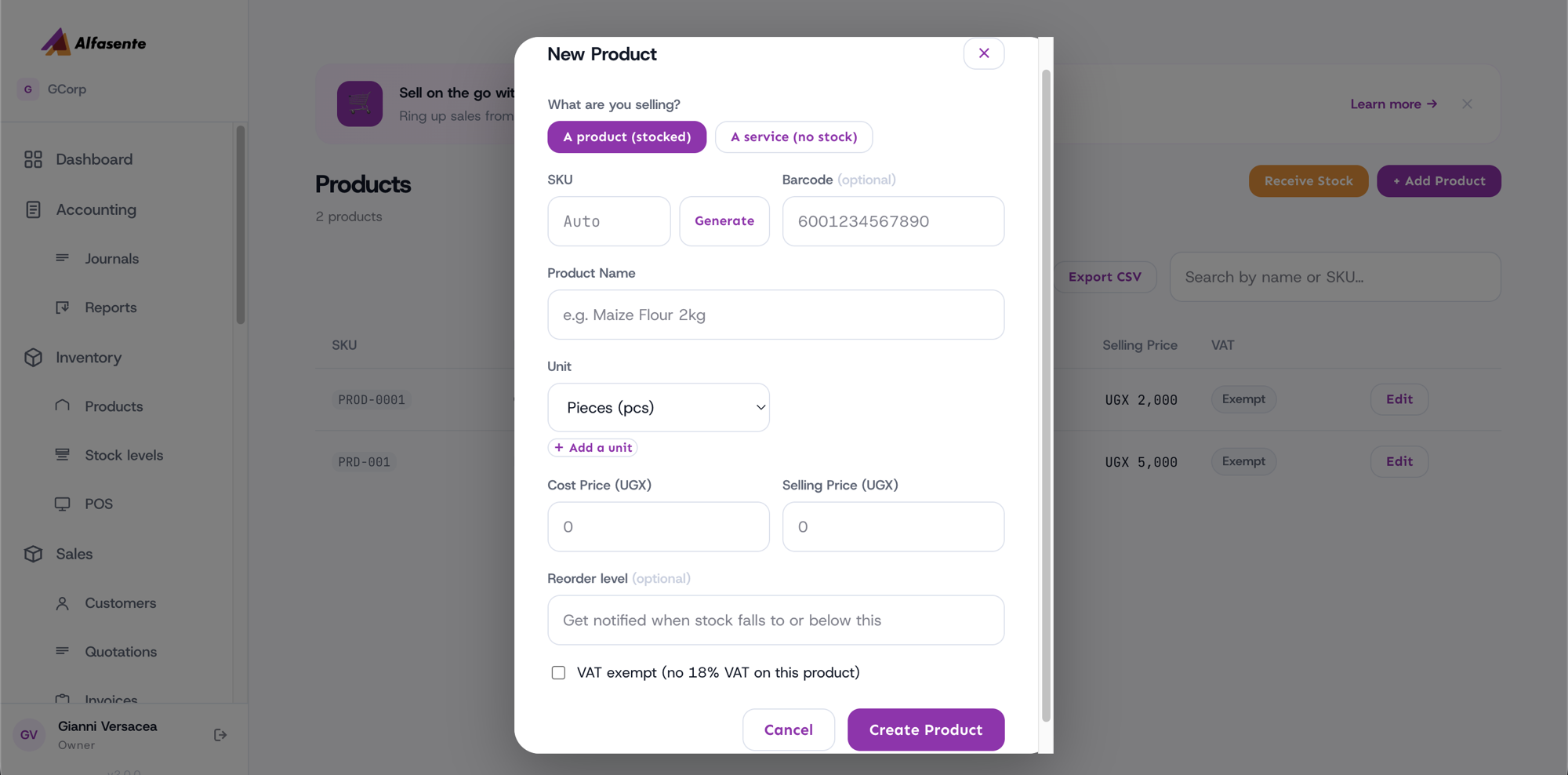
Fill in these fields:
| Field | Notes |
|---|---|
| SKU | The item's stock-keeping code. Leave it blank and one is created on save, or press Generate, or type your own — see Products Catalogue. |
| Barcode | Optional. |
| Product Name | What the item is called. |
| Unit | For example pcs, kg, box, bottle, pkt. |
| Cost Price (UGX) | What it costs you. |
| Selling Price (UGX) | What you sell it for. |
| Reorder level | Optional. Get notified when stock falls to or below this number. |
| VAT exempt | Tick this checkbox to remove the 18% VAT. |
Adding a service
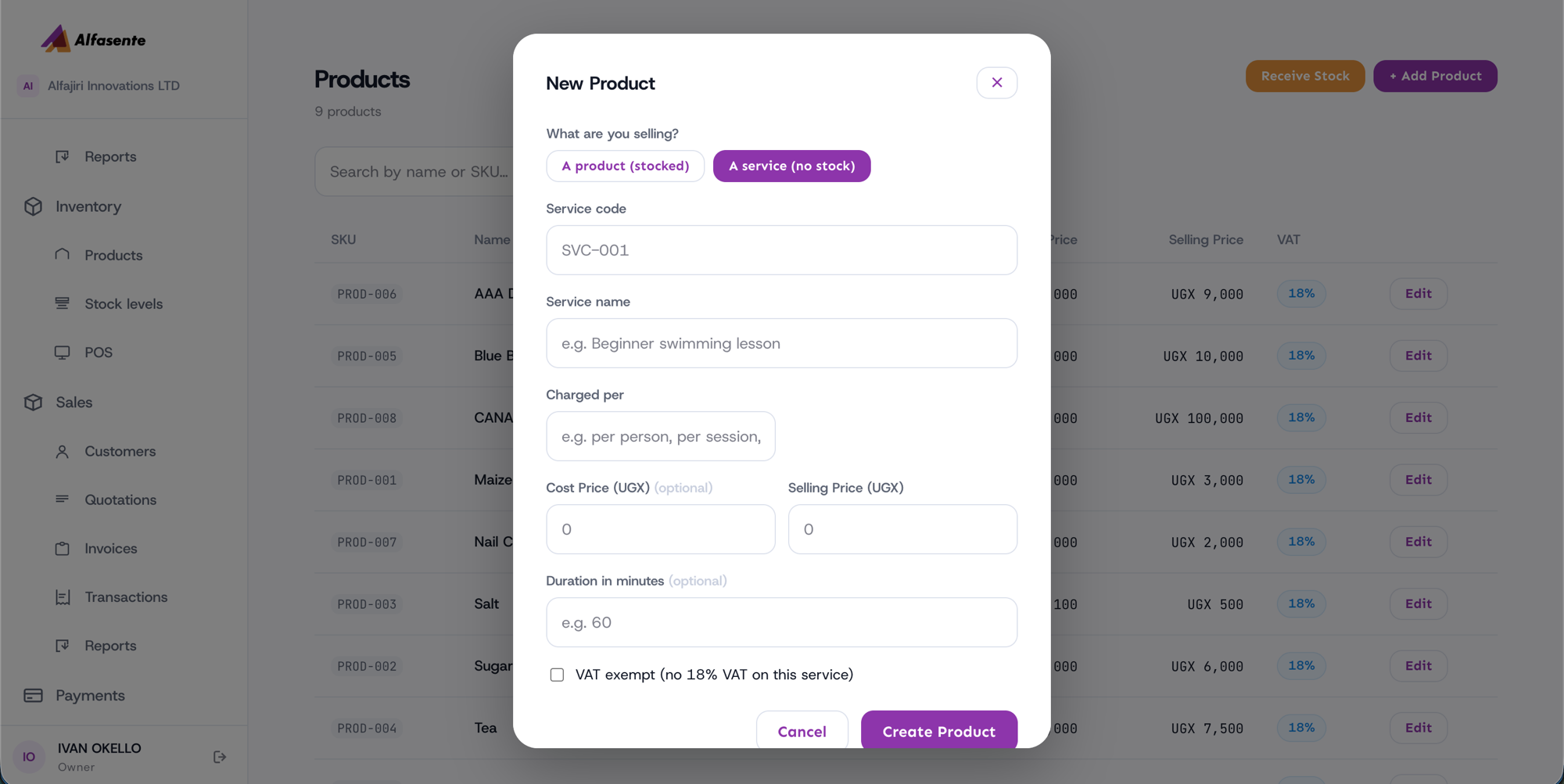
Fill in these fields:
| Field | Notes |
|---|---|
| Service code | A code for the service. |
| Service name | What the service is called. |
| Charged per | A free-text label, for example "per person", "per session", or "per hour". |
| Cost Price | Optional. |
| Selling Price | What you charge. |
| Duration in minutes | Optional. |
| VAT exempt | Tick to remove the 18% VAT. |
A note on VAT
By default, items carry the standard 18% VAT. Tick VAT exempt on any item that shouldn't be taxed, and Alfasente ERP will leave the VAT off when it's sold.
Last updated 2026-08-22