
Sales & POS
Sales Reports
Takings and gross profit over a period. Go to Sales → Reports.
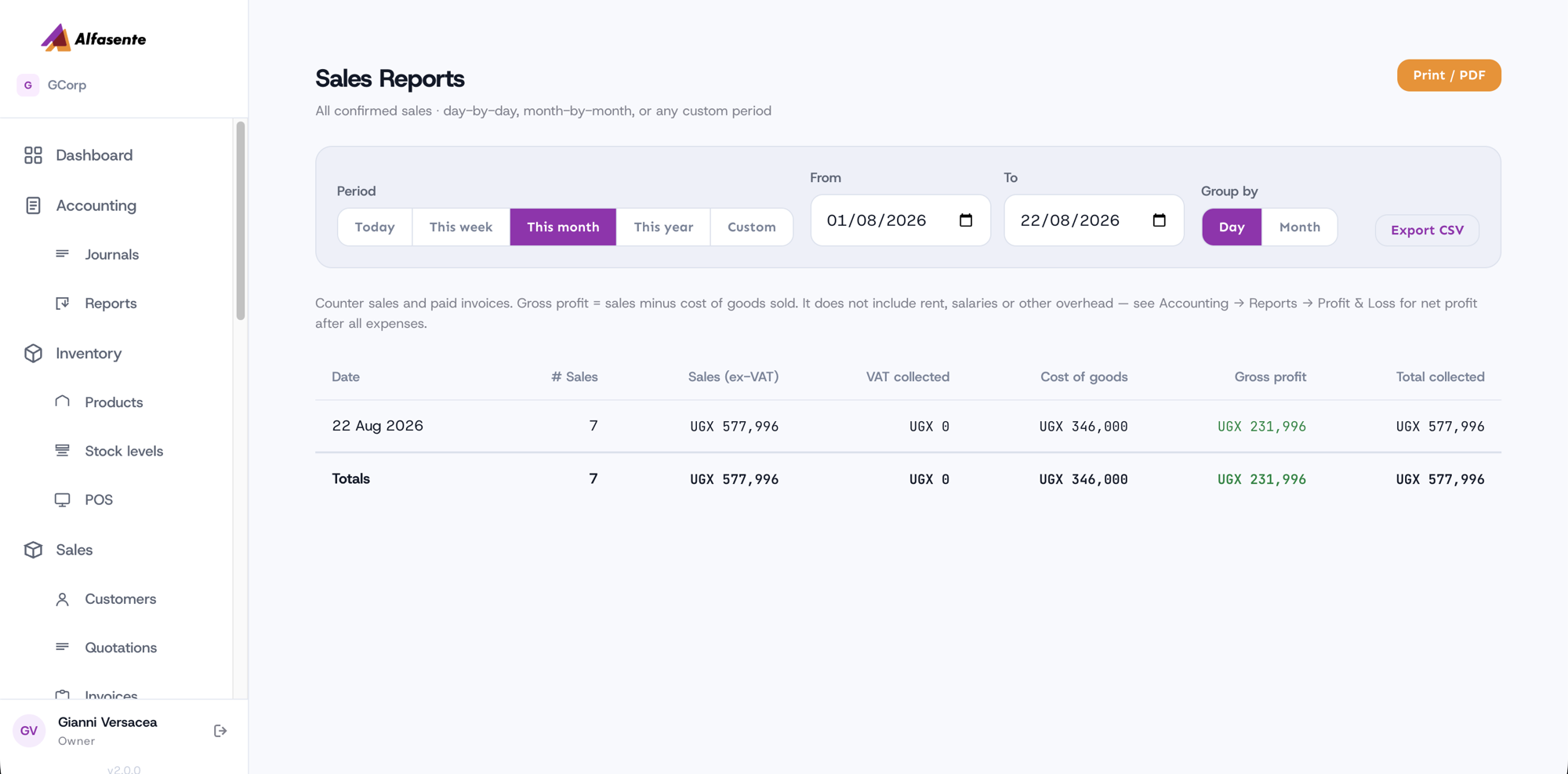
Reading it
| Column | What it is |
|---|---|
| # Sales | How many sales in the period |
| Sales (ex-VAT) | What you sold, before VAT |
| VAT collected | VAT charged on those sales |
| Cost of goods | What those goods cost you |
| Gross profit | Sales minus cost of goods |
| Total collected | The full amount taken, VAT included |
Counter sales and paid invoices both count, so the figure matches what the business actually sold rather than only what went through the till.
Gross profit is not net profit
Gross profit is sales minus the cost of the goods themselves. It does not include rent, salaries, transport or any other overhead. For profit after everything, use Accounting → Reports → Profit & Loss.
Where the cost comes from
Both kinds of sale record what the stock cost at the moment it was sold — the oldest batch first — so the cost does not move afterwards if you change a product's cost price.
Choosing a period
Today, This week, This month, This year, or Custom with your own dates. Group by Day or Month.
Export CSV for the figures, Print / PDF for a copy to hand over.
Related
- Sales Transactions — the individual sales behind these totals
- Accounting Reports — Trial Balance and account ledgers
Last updated 2026-08-22