
Inventory
Products Catalogue
The products catalogue is the single list of everything you sell. Find it under Inventory → Products.
The SKU is yours to choose
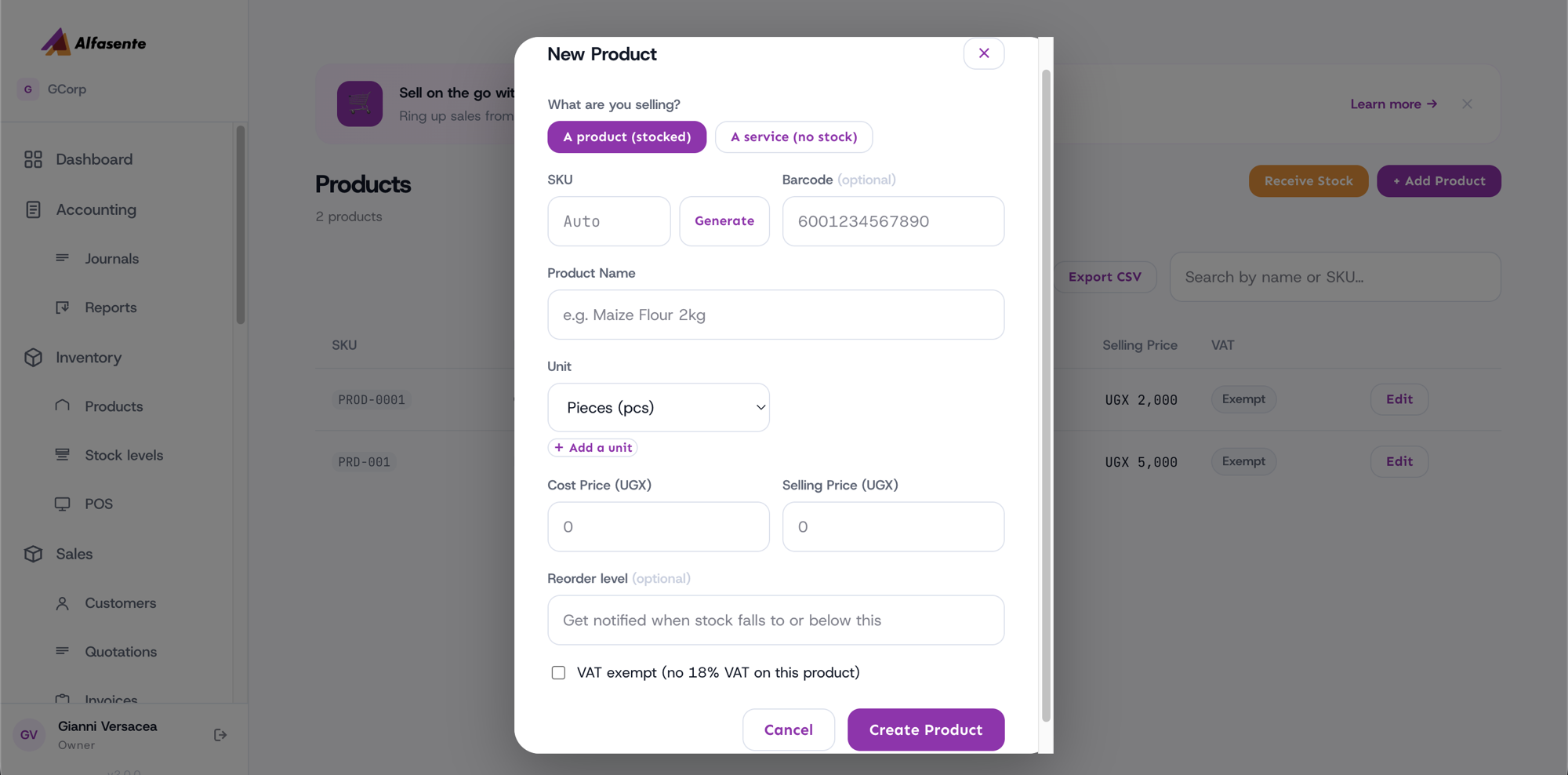
Leave the SKU blank and one is created when you save. Or press Generate to see it first, or type your own.
Generate follows the numbering you already use. If your catalogue reads ITM-00001, the next one
is ITM-00013 — not something in our format — and it keeps the number of digits you write. If
you keep two ranges, say LOC- for local stock and IMP- for imported, both are offered and you
pick.
If your codes are meaningful rather than sequential — COKE-500, SOAP-1KG — there is no series
to continue, so Generate offers a plain one and you type over it.
Typing a SKU that is already used tells you so by name. It will not quietly give you a different one, because the code you typed is probably printed on something.
Searching the catalogue
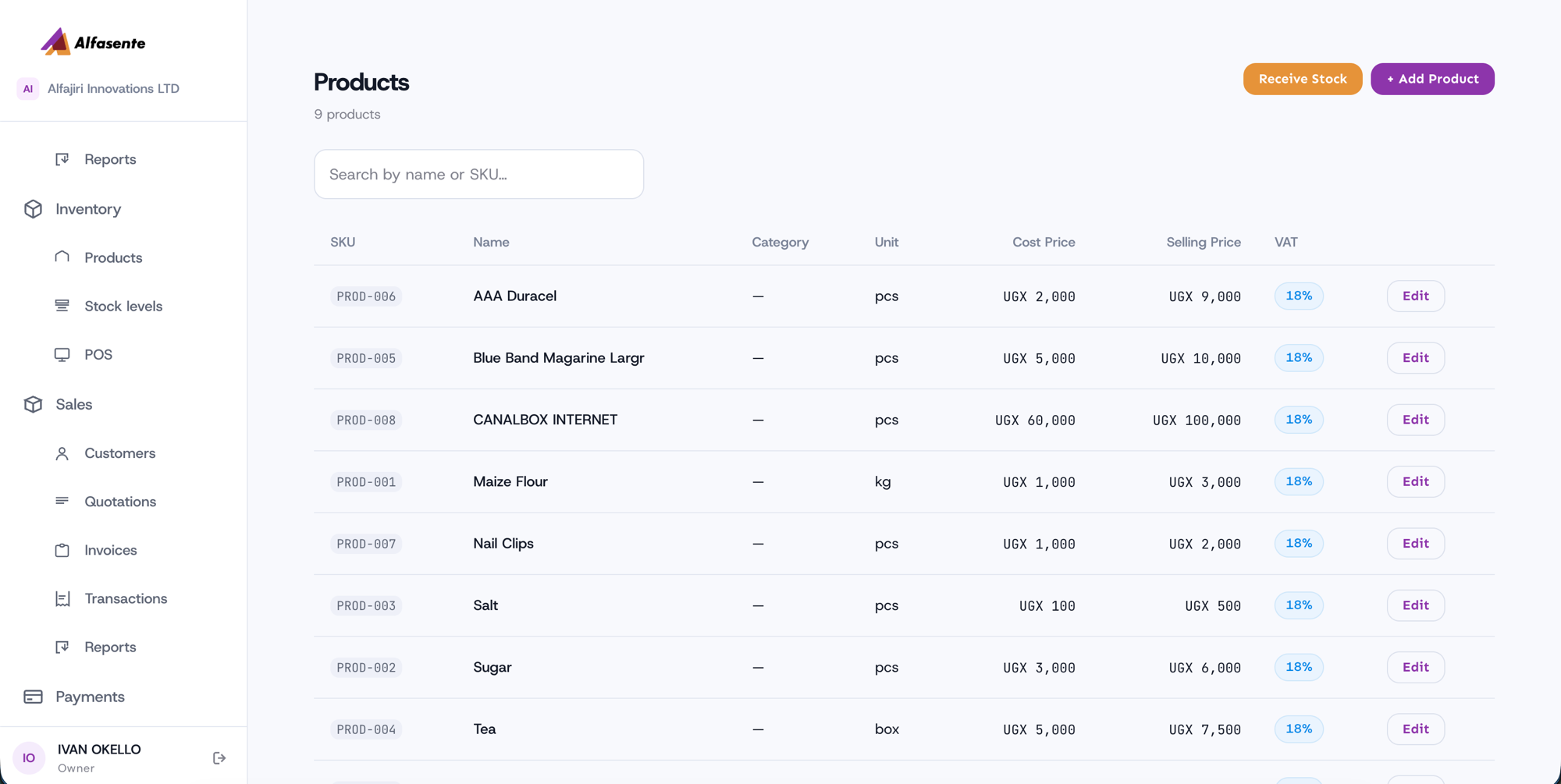
The catalogue is a searchable list — search by name or SKU to find an item quickly. A count at the top shows how many items you have (for example, "9 products").
What each row shows
Each product in the list shows:
| Column | Notes |
|---|---|
| SKU | The item's stock-keeping code. |
| Name | What the item is called. |
| Category | The item's category. |
| Unit | How the item is counted — for example pcs, box, or set. |
| Cost Price | What it costs you. |
| Selling Price | What you sell it for. |
| VAT | An 18% badge appears where VAT applies. |
Each row also has an Edit button so you can update an item's details.
Editing a product's unit
Click Edit on any product to change its details, including the Unit — how the item is counted. Pick from the list (Pieces, Packet, Box, Carton, Bag, Dozen, Bottle, Set, Kilogram, Gram, Litre, Millilitre) and press Save Changes. The new unit is saved and shows everywhere the product appears.
Adding your own units
If the unit you need isn't in the list, click + Add a unit under the Unit dropdown, type it (for example tray or jerrycan), and press Add. It's saved to your business only and appears in the dropdown from then on — it isn't shared with other businesses. To remove one you added, open + Add a unit and click the × next to it (products already using that unit keep it).
For a service, the unit is free text instead ("per person", "per session", "per hour") since services aren't counted in stock.
Top actions
Two actions sit at the top of the catalogue:
- Receive Stock — record new goods coming into your inventory.
- + Add Product — add a new product or service.
Last updated 2026-08-22