
Sales & POS
Invoices
Invoices let you bill a customer and track what they owe. You'll find them under Sales → Invoices.
What's on an invoice
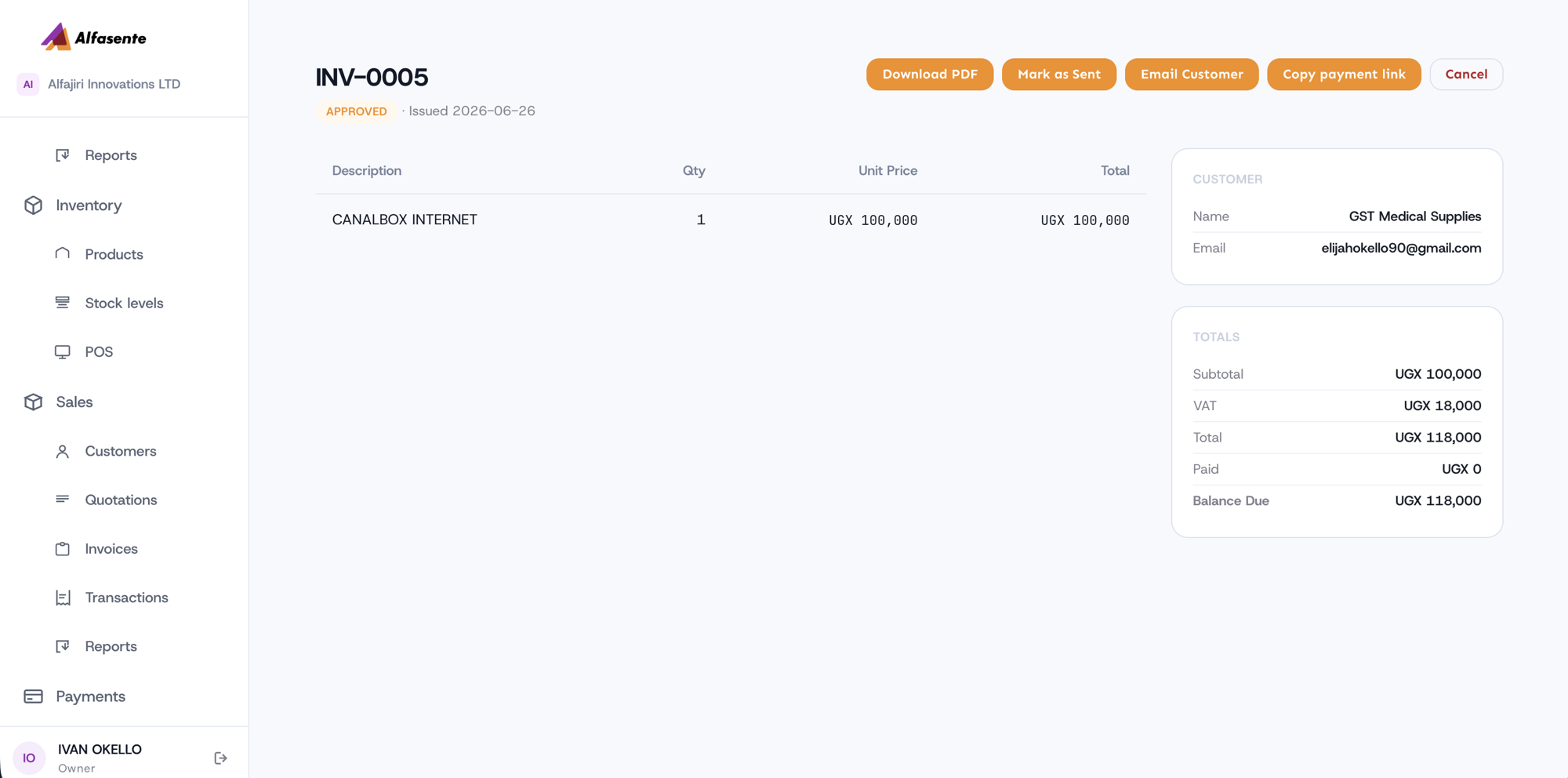
Each invoice includes:
- A number (for example, INV-0005)
- A status (for example, Approved)
- An issue date
- Line items — each with a description, quantity, unit price, and total
- A Customer — name and email
- Totals — Subtotal, VAT, Total, Paid, and Balance Due
As payments come in, the Balance Due updates automatically.
Actions on an invoice
From an invoice you can take these actions:
| Action | What it does |
|---|---|
| Download PDF | Save or print a PDF copy of the invoice. |
| Mark as Sent | Record that the invoice has been sent to the customer. |
| Email Customer | Email the invoice to the customer. |
| Copy payment link | Share a mobile-money link so the customer can pay online. |
| Cancel | Cancel the invoice. |
Getting paid
Use Copy payment link to share a mobile-money link with your customer so they can pay online. When they pay, the invoice's Balance Due updates to reflect the payment.
Choosing the source store
An invoice for stocked goods asks which store the goods come from. Stock is held per store, so this is what lets the invoice take the right units and record what they cost.
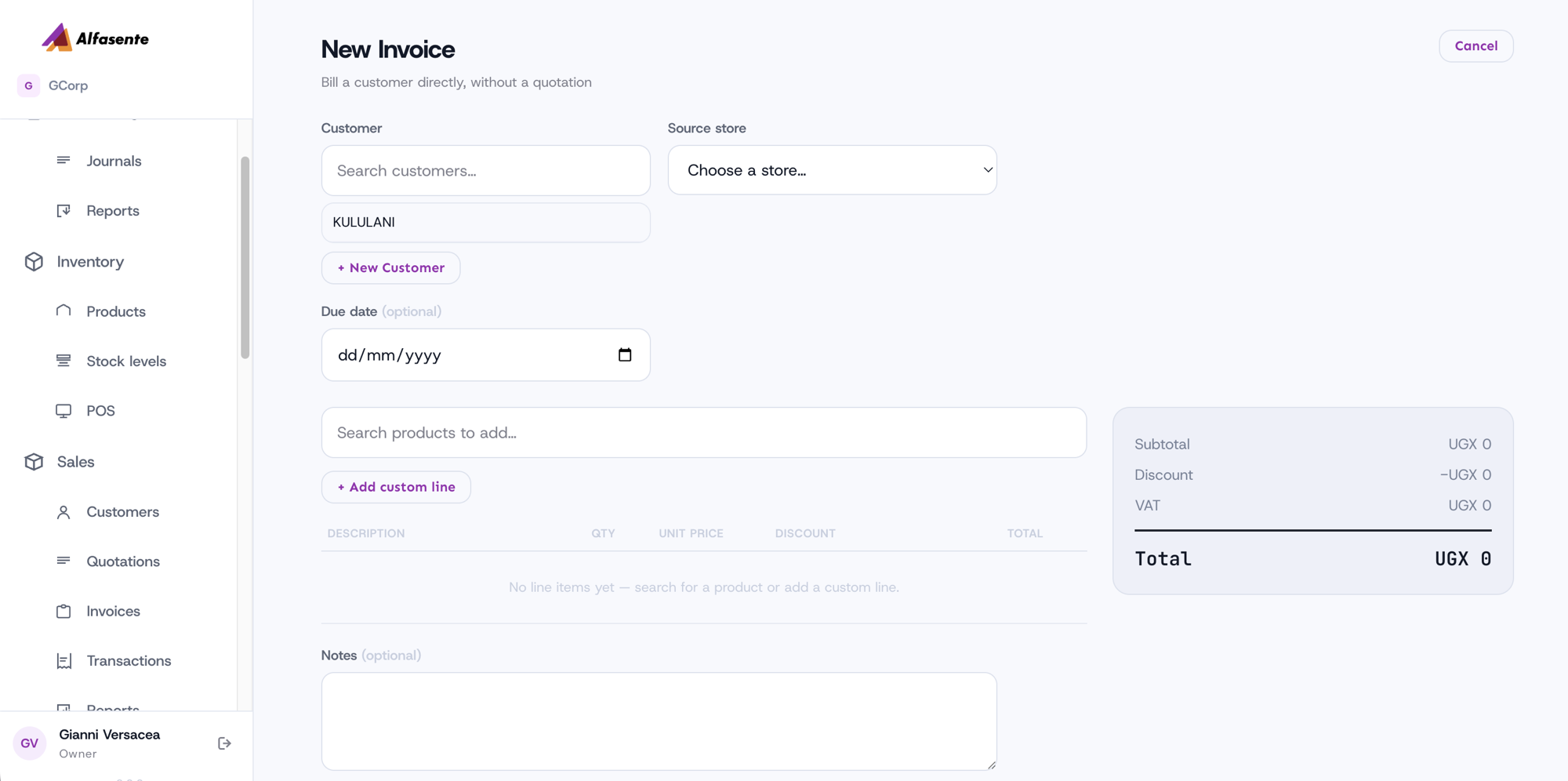
If you raise the invoice from a quotation, the store carries over from the quote. If you raise one directly — which is most of them — you choose it on the form.
What happens when an invoice is approved
Three things, together:
- The stock leaves the store you chose, oldest batch first.
- The cost of those exact units is recorded on the invoice, so profit on the sale is real rather than estimated.
- The books are posted — the sale and what it cost, in the same period.
If there is not enough stock, nothing happens at all. The invoice stays a draft, nothing is posted and no stock moves. Fix the quantity, or receive more stock, and approve again. You will never end up with an approved invoice for goods you did not have.
Service lines take no stock, so a service-only invoice simply posts the sale.
Bank details on the invoice
If you set Payment details on a quotation, they travel to the invoice raised from it, so the customer is invoiced against the same account they were quoted. Otherwise the invoice uses the default from Settings → Invoicing.
Paid invoices are sales
Once a customer pays, the invoice appears under Sales → Transactions alongside counter sales, and counts in Sales → Reports.
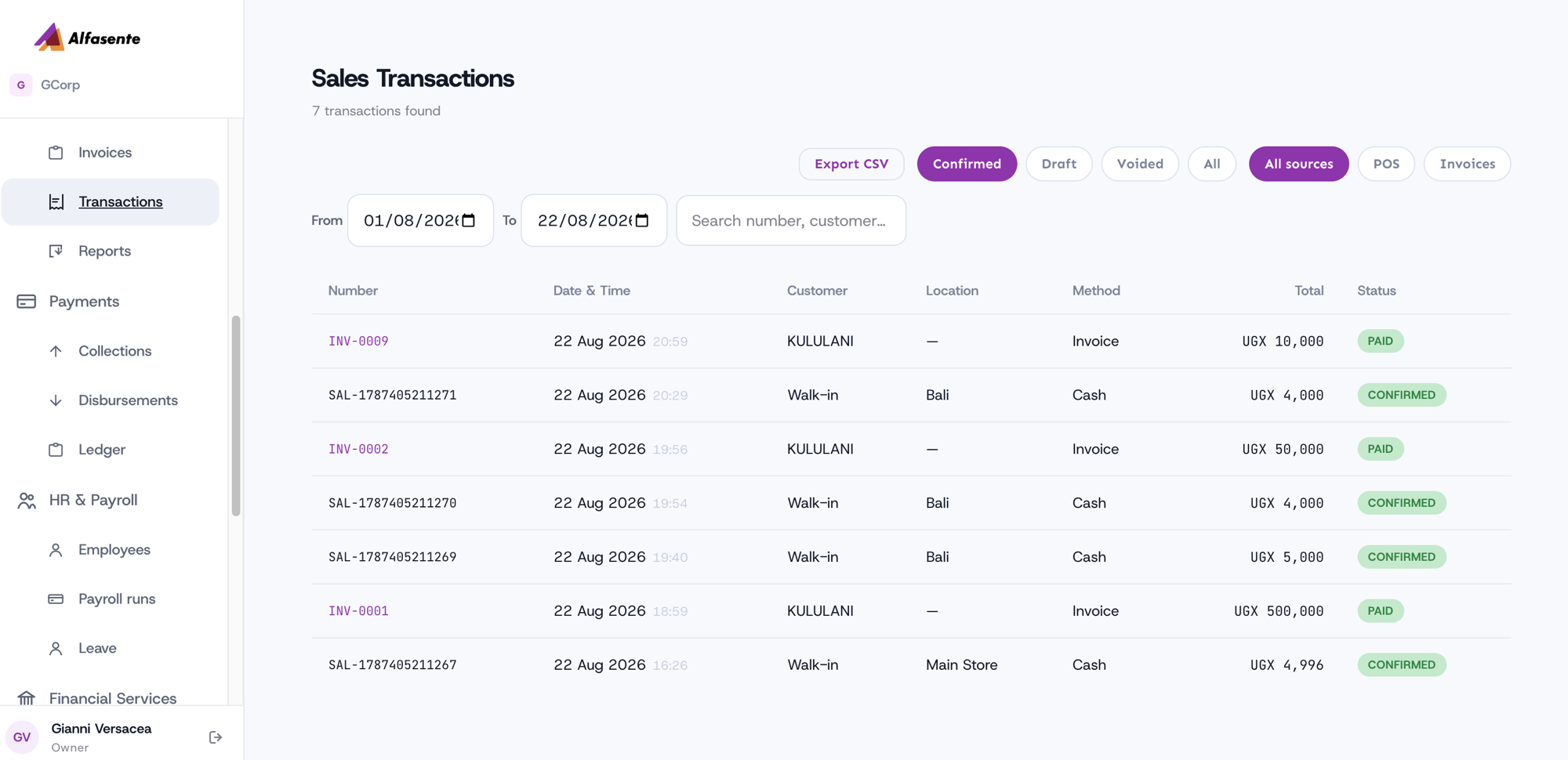 It is dated by when it was paid, so an invoice raised in June
and settled in August is an August sale.
It is dated by when it was paid, so an invoice raised in June
and settled in August is an August sale.
Last updated 2026-08-22