
Inventory
Receiving Stock
When new goods arrive, record them so your stock counts and costs stay accurate. Alfasente ERP stores each delivery as a batch at the cost you paid, and sells your oldest stock first using FIFO (first-in, first-out) — so your cost of goods is always right.
Opening Receive Goods
You can open the Receive Goods form in two ways:
- Go to Inventory → Stock levels and click Receive Goods.
- Click the Receive Stock button (for example, from the products catalogue).
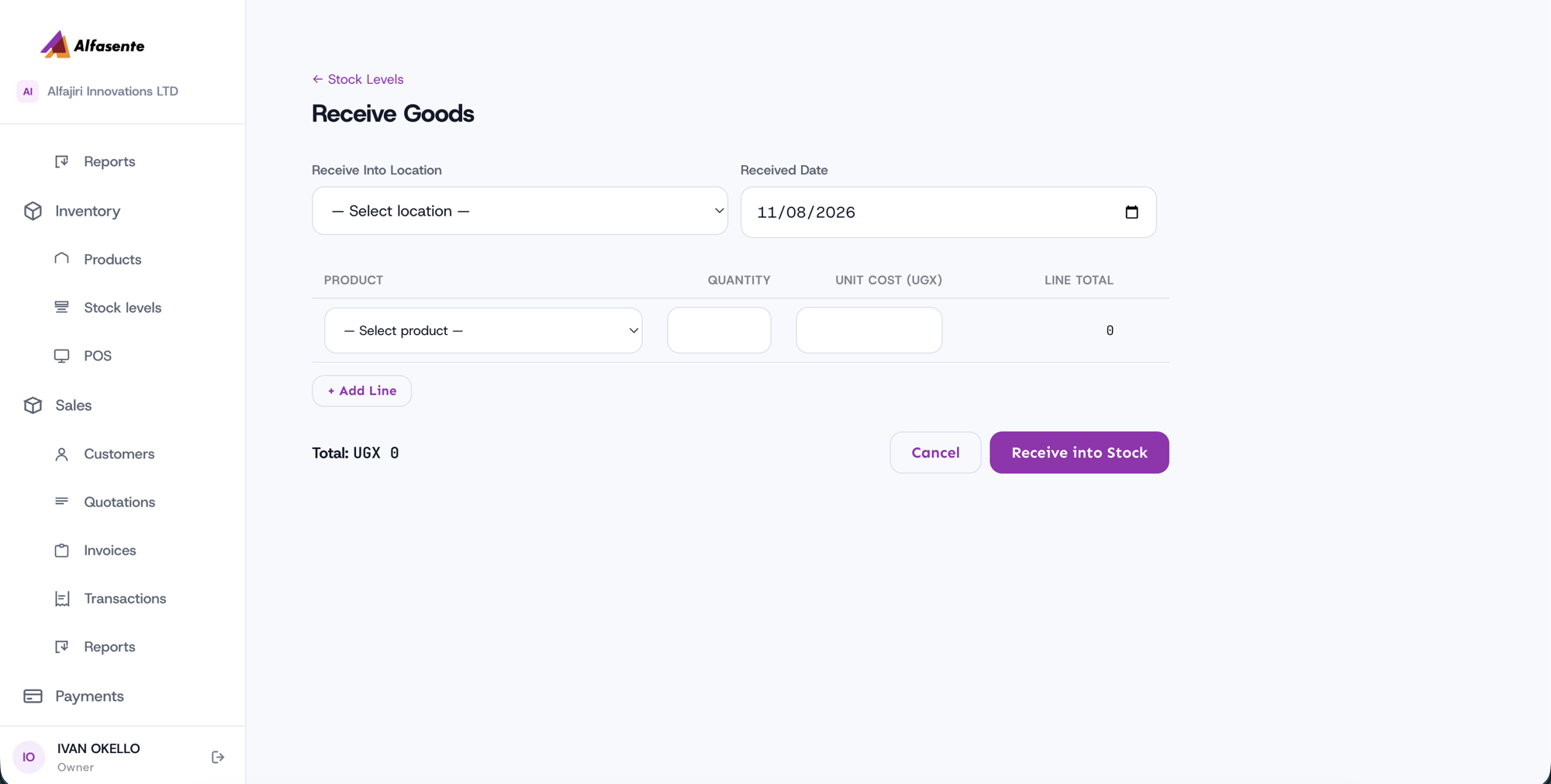
Receiving goods
- Choose the Receive Into Location — the store the goods are going into.
- Set the Received Date.
- Add one or more product lines. For each line:
- Select the product.
- Enter the Quantity.
- Enter the Unit Cost (UGX).
- Check the totals. A Line Total and the grand Total are worked out for you automatically.
- Press Receive into Stock.
What happens next
Receiving goods creates a stock batch at the cost you entered. Because the ERP uses FIFO, the oldest stock is sold first, keeping your cost of goods accurate.
Only goods can be received
You can only receive stocked goods. Services have no stock, so they can't be received.
Last updated 2026-08-11