
Payments
Connect the Payments API
To use mobile money collections and disbursements from the ERP, you connect your Alfasente account once. This links your business to the Payments API so money can move over MTN and Airtel.
Getting your credentials
The credentials are your business's own — Byte Village cannot create them for you. Three steps:
- Create an Alfasente Payments merchant account at app.alfasente.com. You will need your business documentation. Accounts are approved by hand, so this is not instant.
- Once approved, sign in at pos.alfasente.com and generate your API key and secret.
- Paste them into Settings → Payments API here.
Until that is done, anything that moves money — requesting a payment, sending money, collecting on POS, a savings deposit, a loan repayment — will stop and show you these same three steps.
Where to find it
Go to Settings → Payments API.
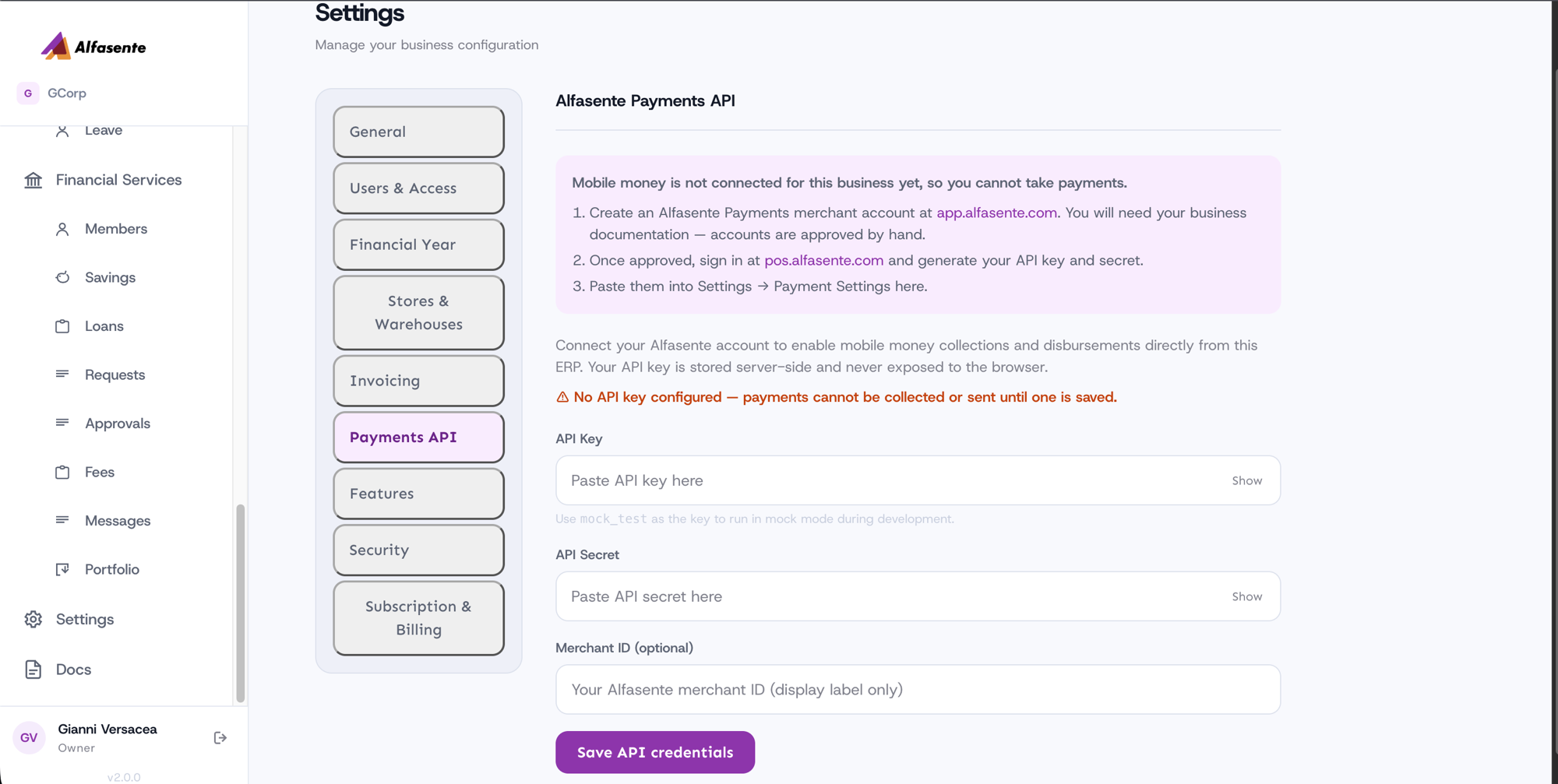
Enter your credentials
| Field | What to enter |
|---|---|
| API Key | Your Alfasente API key |
| API Secret | Your Alfasente API secret |
| Merchant ID | Optional — a display label only |
Click save to connect. Once saved, the screen shows when it was last updated, and the three-step guidance disappears — it only appears while nothing is connected.
Keeping your keys safe
Your keys are stored server-side and are never exposed to the browser.
To update your credentials later, enter the new values and save. Leave a field blank to keep its current value — so you can change one without re-typing the others.
Testing in mock mode
While you're setting things up or testing, use mock_test as the key to run in mock mode. This lets you try collections and disbursements without moving real money.
Next steps
Once the Payments API is connected, you can:
- Request payments (Collections) — money in
- Send money (Disbursements) — money out
- Create Payment Links — let customers pay you by link
- Review the Payments Ledger — see everything in one place
Last updated 2026-08-22