
Payroll
Payslips
Each employee on a completed payroll run gets a payslip — a clear record of what they earned, what was deducted, and what they were paid. Payslips can be downloaded as a PDF.
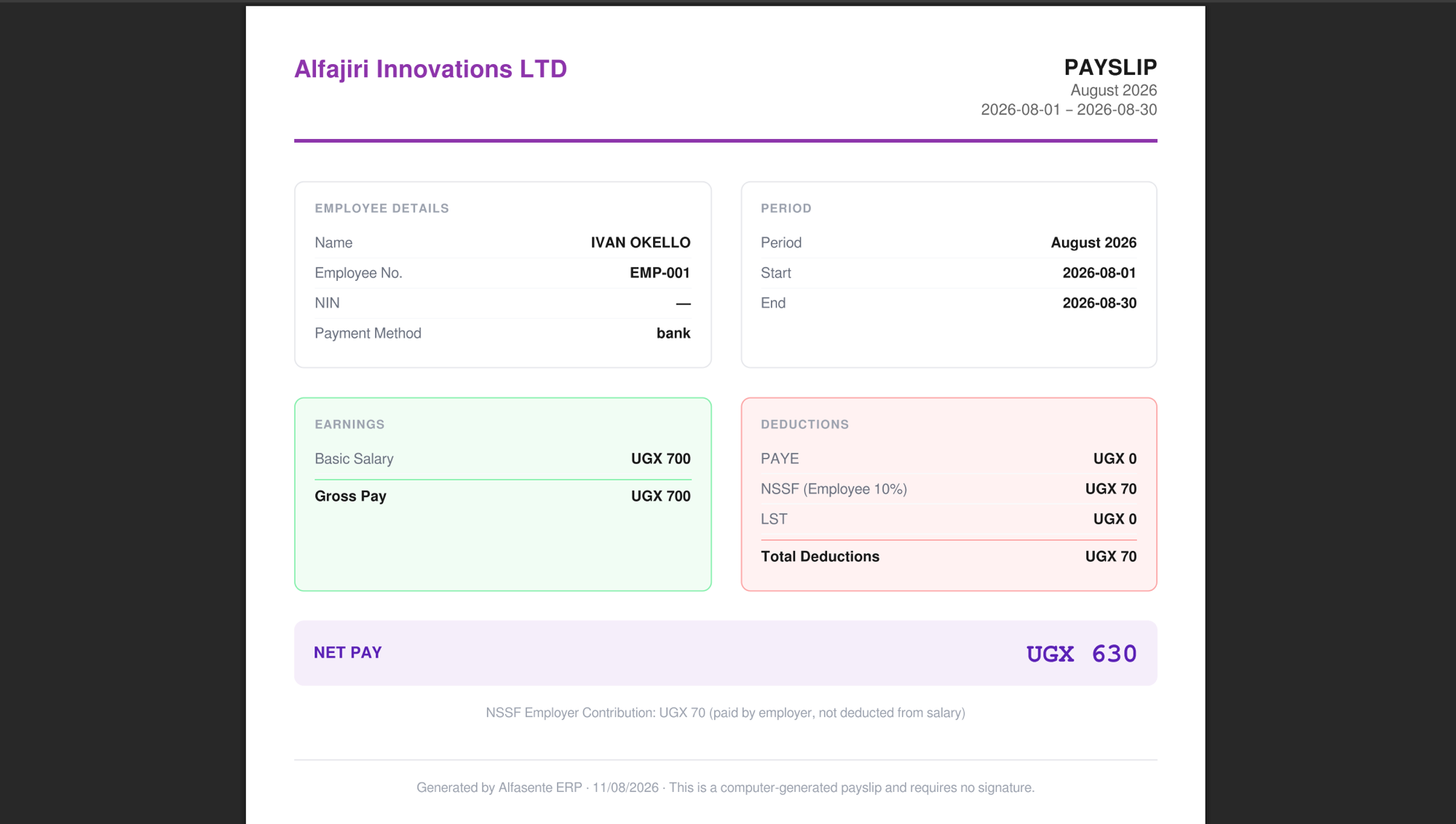
What's on a payslip
A payslip shows:
- Business name — the name of your business.
- Period — the pay period name and its start and end dates.
- Employee details — Name, Employee No., NIN, and Payment Method.
Earnings
- Basic Salary
- Gross Pay
Deductions
- PAYE
- NSSF (Employee 10%)
- LST
- Total Deductions
NET PAY — what the employee actually takes home after deductions.
NSSF Employer Contribution
The payslip also notes the NSSF Employer Contribution. This is paid by the employer and is not deducted from the employee's salary — it's shown for transparency, separate from the employee's own NSSF contribution.
Signatures
Payslips are computer-generated and need no signature.
Downloading a payslip
You can download a payslip as a PDF from two places:
- The employee's detail page, using Download Payslip (see Employees).
- The payroll run the payslip belongs to (see Running payroll).
Last updated 2026-08-11