
Payments
Payment Links
A payment link is a page you share — by link — that a customer opens and pays over mobile money, without you having to do anything else. They are great for deposits, bookings, or one-off charges.
Payment links work over both MTN and Airtel. Before your first link, you connect your Alfasente Payments API credentials once — see Connect the Payments API.
Where to find it
In the sidebar, go to Payments → Payment Links.
Create a link
Click New link and set the options.
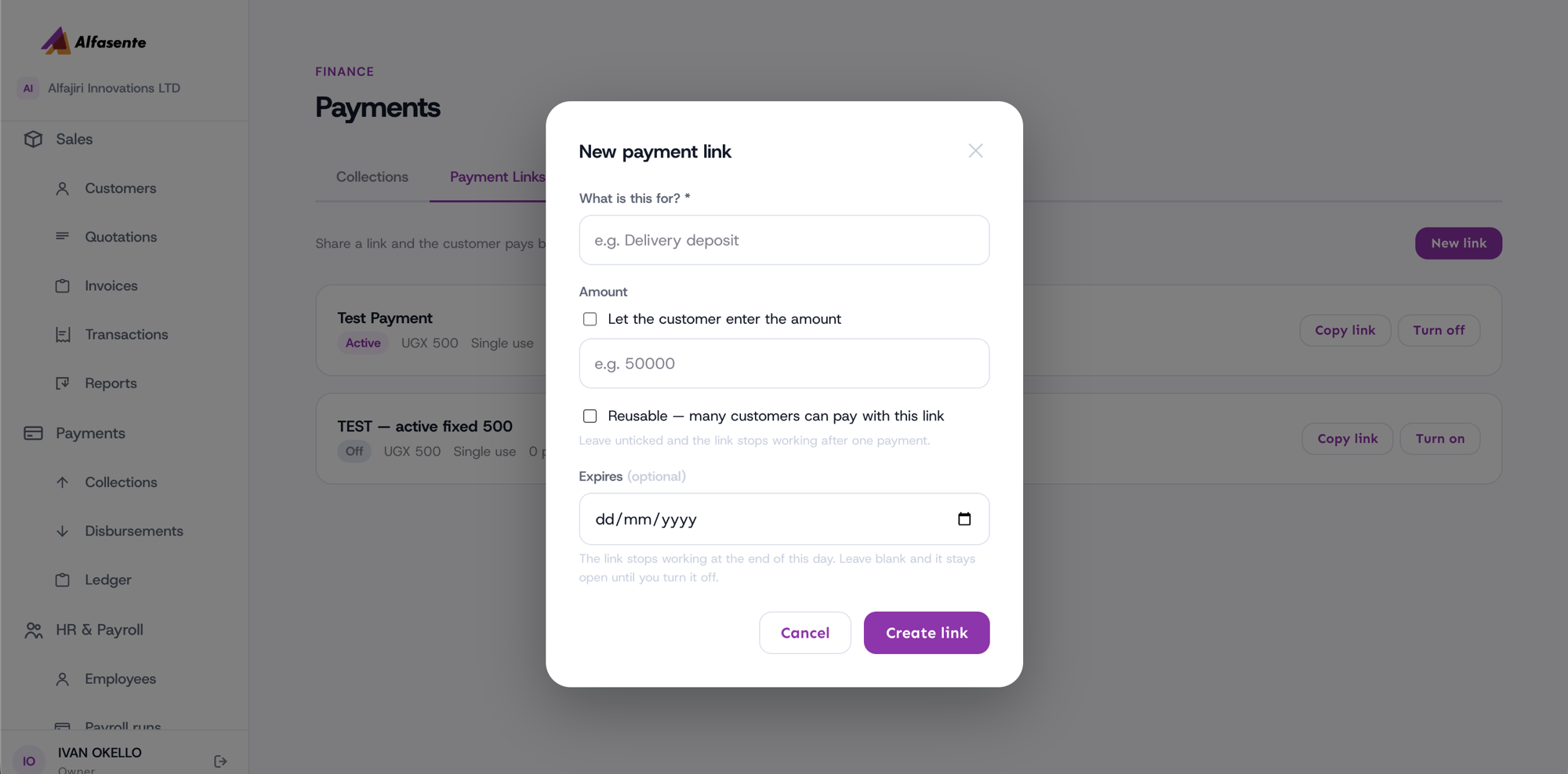
| Option | What it does |
|---|---|
| Title ("What is this for?") | A short description the customer sees on the pay page |
| Amount | Either a fixed amount, or tick "Let the customer enter the amount" for an open amount |
| Reusable | Tick so many customers can pay with the same link. Leave it unticked and the link stops working after one payment (single-use) |
| Expiry | An optional date. Leave it blank and the link stays open until you turn it off |
Once created, you can Copy link to share it, and Turn on or Turn off the link at any time.
What the customer sees
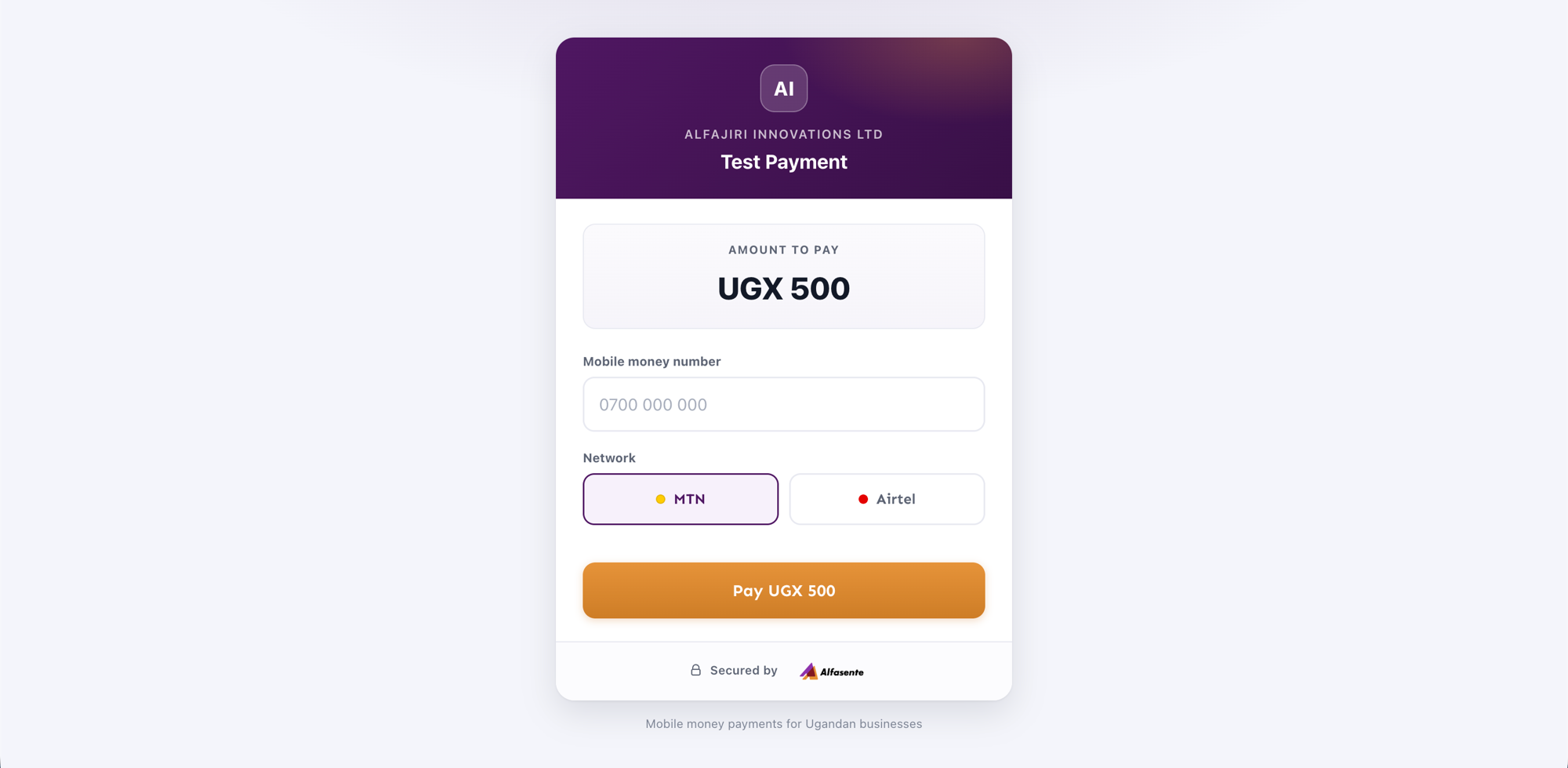
When the customer opens the link, they see a branded pay page with your business name, the amount to pay, a field for their mobile money number, an MTN / Airtel choice, and a "Pay UGX <amount>" button.
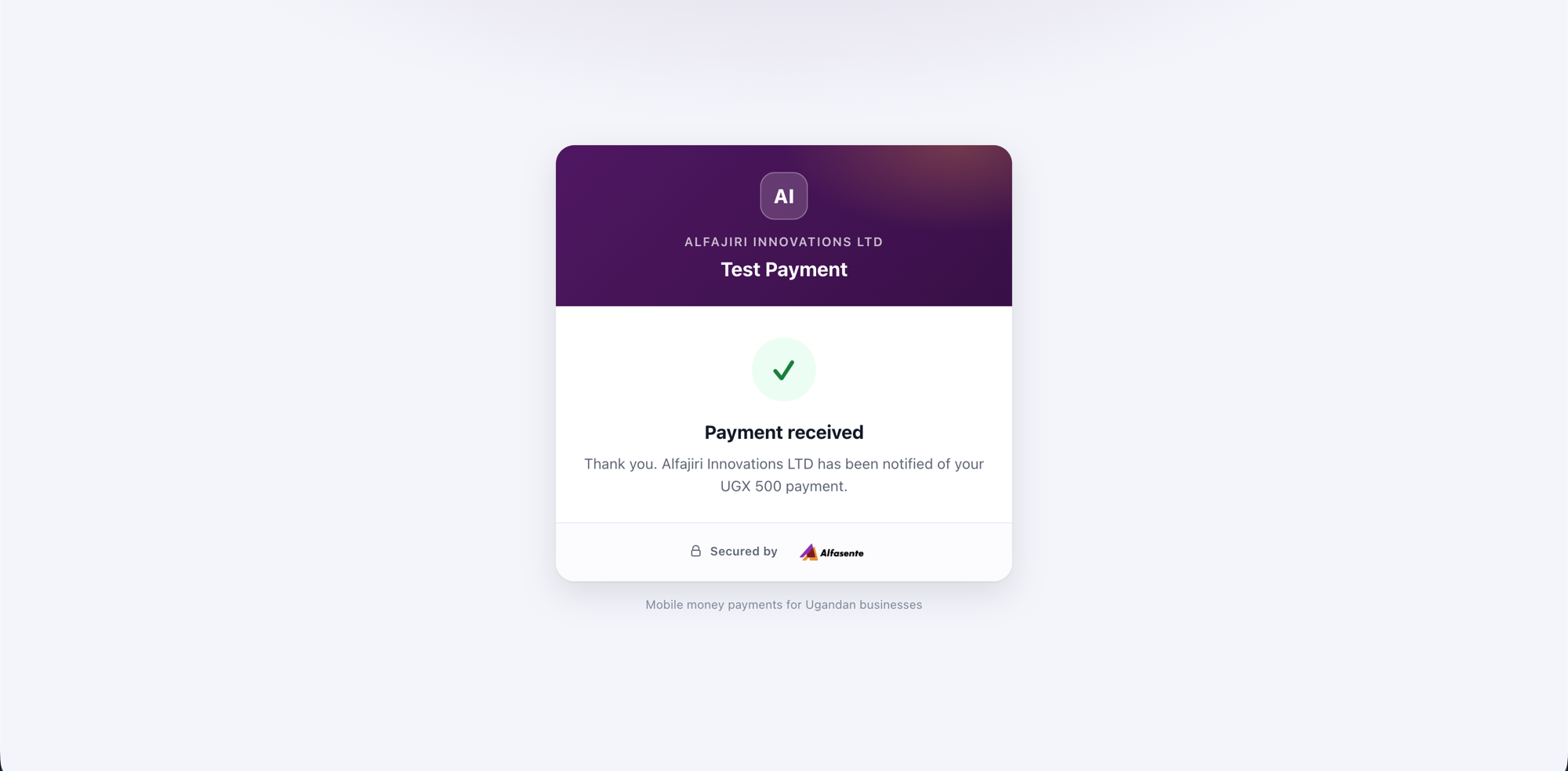
After a successful payment, the customer sees a "Payment received" confirmation.
Tips
- Use a fixed amount for a set charge like a booking deposit, and "Let the customer enter the amount" when the customer decides how much to pay.
- Use a single-use link (Reusable left unticked) for a one-off charge to a single customer, and a reusable link when many people will pay the same thing.
- Set an Expiry date for time-limited offers, or leave it blank and simply Turn off the link when you're done.
- Payments made through a link also appear in your Payments Ledger, alongside all your other payments.
Last updated 2026-08-11