
Payments
Disbursements (Send Money)
Disbursements are money going out. Use them to pay a supplier, refund a customer, settle staff, or send money to anyone over mobile money.
Disbursements work over both MTN and Airtel. Before your first disbursement, you connect your Alfasente Payments API credentials once — see Connect the Payments API.
Where to find it
In the sidebar, go to Payments → Disbursements.
The screen shows Sent recently and your recent payments out, each with a status such as completed or failed.
Send money
Click Send money and fill in the form.
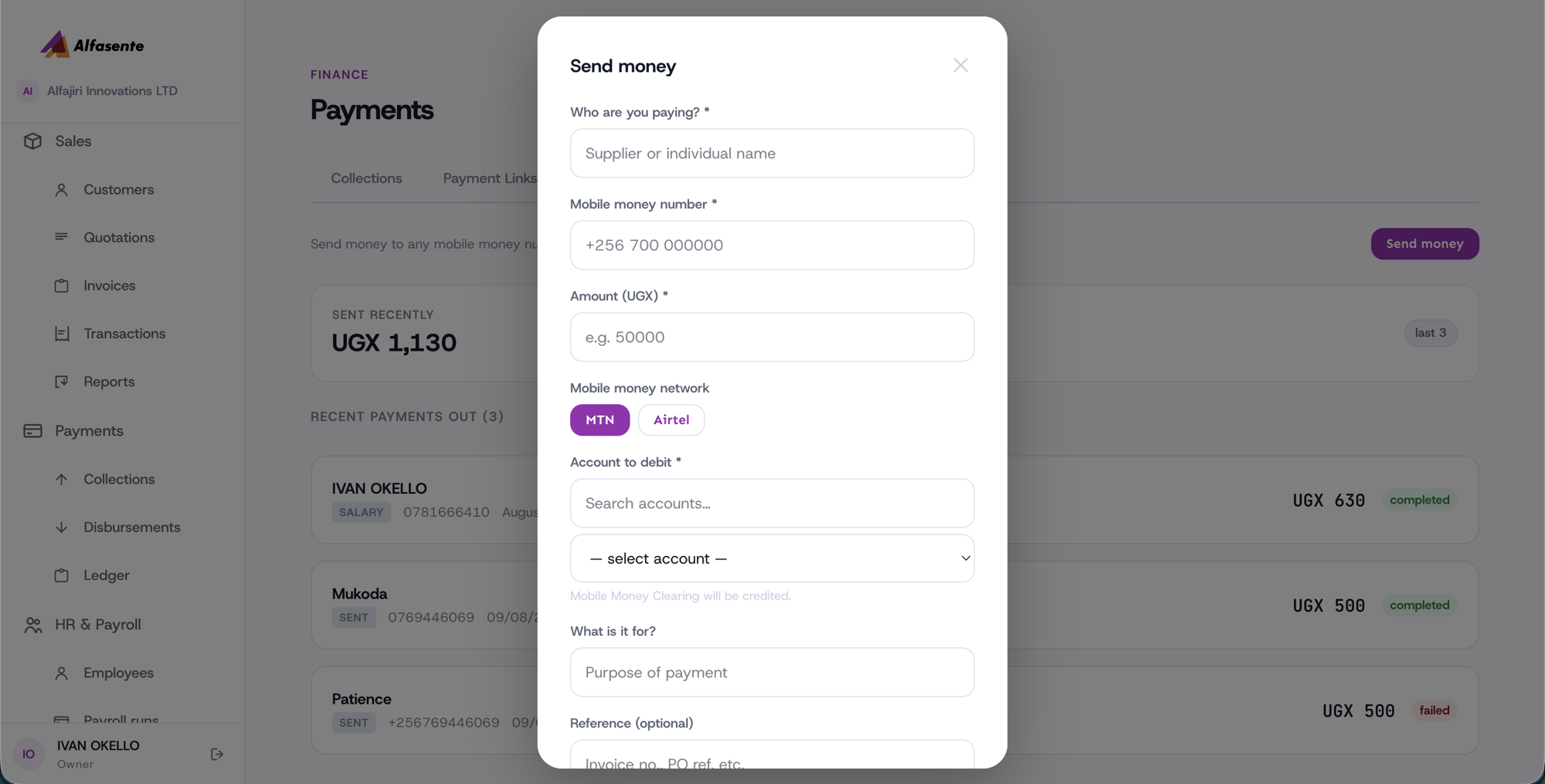
| Field | What to enter |
|---|---|
| Who you're paying | The person or business receiving the money |
| Mobile money number | The recipient's number |
| Amount (UGX) | The amount to send, in Ugandan Shillings |
| Network | MTN or Airtel |
| Account to debit | The accounting account the money comes out of — the system notes that Mobile Money Clearing will be credited |
| What it's for | A short description of the payment |
| Reference | Optional — a note to help you recognise this payment later |
A disbursement is immediate and irreversible
Unlike a collection, a disbursement is processed immediately and cannot be reversed.
Double-check the number and the amount before you send. Once a disbursement goes out, there is no undo.
Tips
- Make sure the mobile money number matches the network you selected — an MTN number goes over MTN, and an Airtel number over Airtel.
- Pick the correct Account to debit so your books stay accurate.
- If a payment shows as failed, no money left your account — you can review the details and try again.
- Every disbursement also appears in your Payments Ledger, alongside all your other payments.
Last updated 2026-08-11