
Payments
Payments Ledger & Receipts
The Payments Ledger brings every payment across all flows into one place, so you can see what came in, what went out, and reconcile everything.
Where to find it
In the sidebar, go to Payments → Ledger.
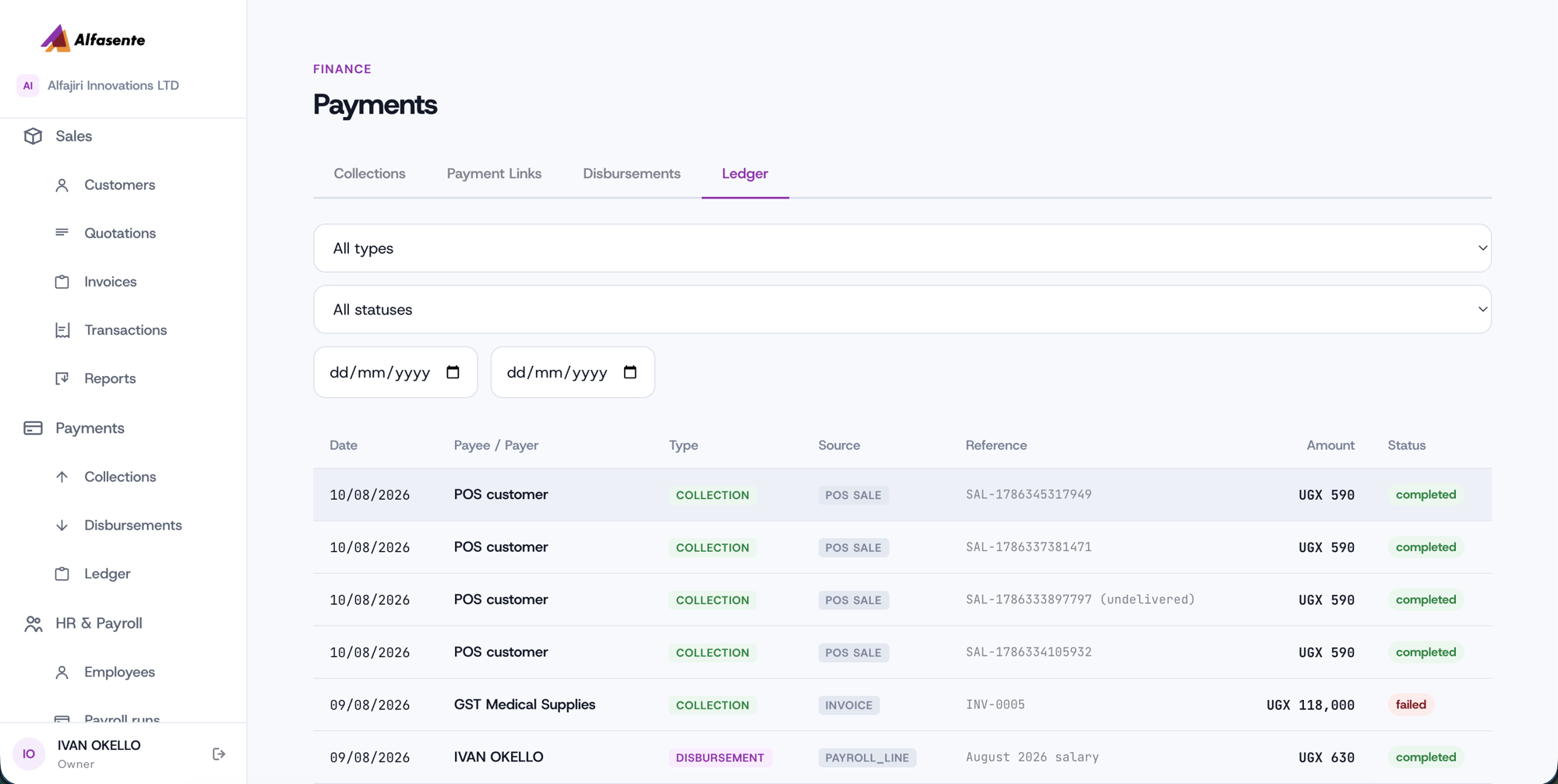
What it shows
The ledger ties together your POS sales, invoice collections, payroll payouts, ad-hoc requests, and payment links — so everything is in one view.
| Column | What it shows |
|---|---|
| Date | When the payment happened |
| Payee/Payer | Who the money went to or came from |
| Type | Collection (money in) or Disbursement (money out) |
| Source | Where the payment came from — for example POS Sale, Invoice, or a Payroll line |
| Reference | The reference attached to the payment |
| Amount | The value in UGX |
| Status | completed, failed, or pending |
Filtering
You can narrow the ledger by:
- Type — Collection or Disbursement
- Status — completed, failed, or pending
- Date range
Combine these to focus on, for example, only completed collections in a given month.
Receipts and your accounts
Each completed payment is recorded in your accounts automatically — you don't have to post it by hand. Because the ledger draws every flow together, it's the place to go when you want to reconcile POS sales, invoice collections, payroll payouts, ad-hoc requests, and payment links against your books.
Tips
- Filter by pending to see collections still waiting for a customer to approve on their phone.
- Filter by failed to spot disbursements that didn't go through, so you can retry them.
- Use the Source column to trace a payment back to where it started — a POS sale, an invoice, a payroll line, or a payment link.
Last updated 2026-08-11