
Payments
Collections (Request a Payment)
Collections are money coming in. Use them when you want a customer to pay you over mobile money — Alfasente sends a prompt to the customer's phone, and once they approve, the payment is recorded for you automatically.
Collections work over both MTN and Airtel. Before your first collection, you connect your Alfasente Payments API credentials once — see Connect the Payments API.
Where to find it
In the sidebar, go to Payments → Collections.
The Collections screen also shows your Total Outstanding and any Unpaid Invoices. You can Collect against an unpaid invoice directly from here, without re-entering the details.
Request a payment
Click Request payment and fill in the form.
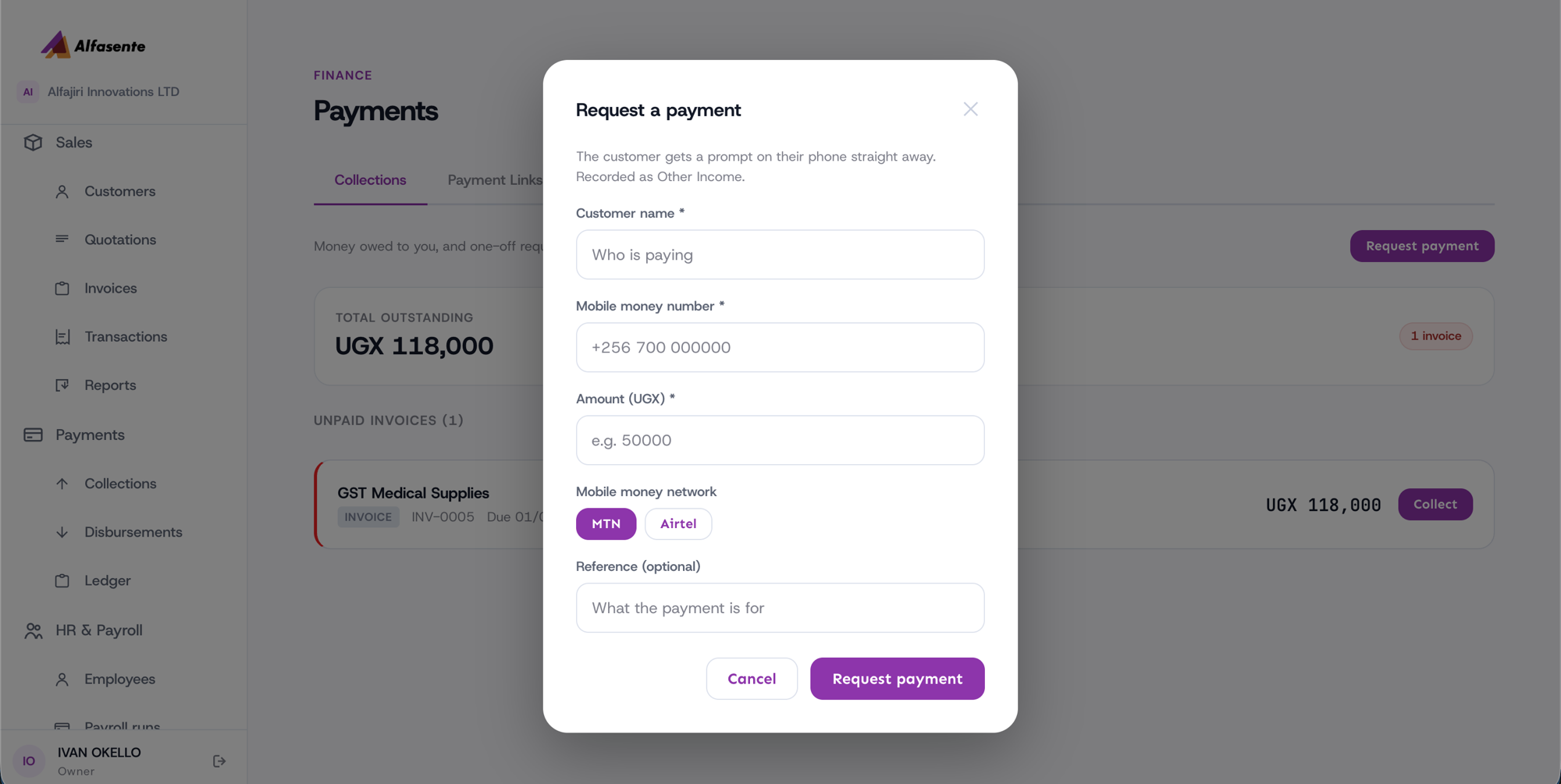
| Field | What to enter |
|---|---|
| Customer name | Who you are collecting from |
| Mobile money number | The customer's number in the form +256… |
| Amount (UGX) | The amount to collect, in Ugandan Shillings |
| Mobile money network | MTN or Airtel |
| Reference | Optional — a note to help you recognise this payment later |
When you submit, the customer gets a prompt on their phone straight away to approve the payment.
A one-off request like this is recorded as Other Income in your accounts.
What happens after you submit
A collection is asynchronous — it does not confirm the instant you press submit. The customer has to approve it on their own phone first, so it can take a moment.
- The payment starts as pending.
- Once the customer approves the prompt on their phone, it becomes completed.
Tips
- Double-check the mobile money number and the network before you submit — an MTN number needs to be sent over MTN, and an Airtel number over Airtel.
- If a payment stays pending, the customer may not have approved the prompt yet. You can follow up with them and ask them to check their phone.
- Every completed collection also appears in your Payments Ledger, alongside all your other payments.
Last updated 2026-08-11